
Email: Fast, Manage All Mails
BizApp InnovatorsProductivity
4.6929.00 Reviews
- Version
- 1.5.2
- Installs
- 10.00M
- Age Rating
- Everyone
Screenshots
Our Review of Email: Fast, Manage All Mails
 Analysis by Appyee
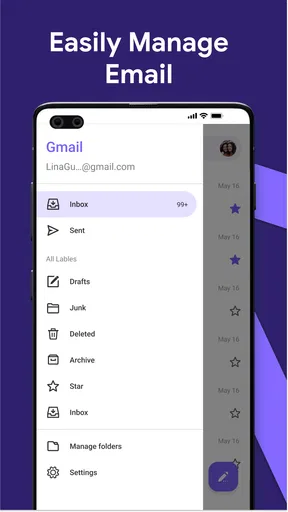
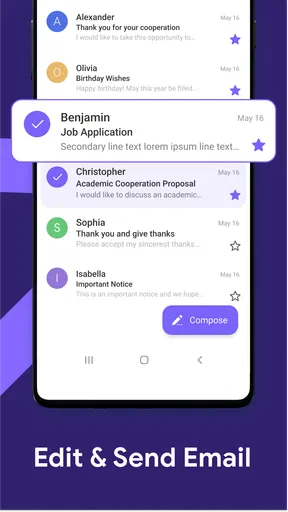
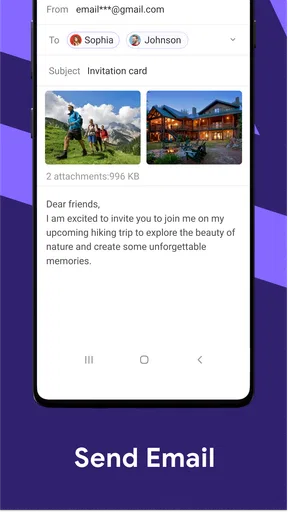
Email: Fast, Manage All Mails is the kind of productivity app I would try when my inboxes have become too scattered to manage comfortably. Instead of treating email as something tied to one account or one familiar provider, it is presented as a central place for accessing all emails, with AI-assisted writing intended to make composing messages quicker. I found that combination appealing because it addresses two everyday frustrations at once: switching between inboxes and spending too long deciding how to phrase a reply.
It is a free app from BizApp Innovators, aimed at everyone rather than a narrow professional audience. Its 4.6 average from around 88,000 ratings and more than 10 million installs suggest that it has reached a broad mobile audience. I would still treat those figures as a reason to investigate, not as proof that it will suit every workflow. Email habits vary dramatically, and a person who needs deep account administration may want a traditional provider app instead.
How the all-in-one approach feels on a connected phone
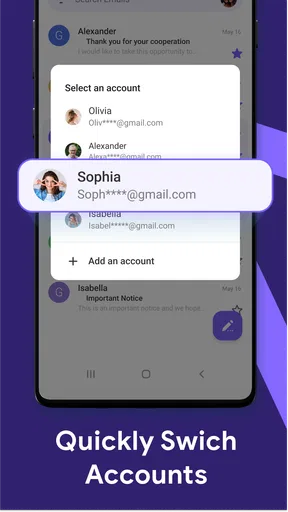
The central promise makes the most sense when I am moving between several parts of my digital life. A personal address, a work inbox, and a secondary account can create a constant sequence of opening, checking, closing, and reopening apps. A unified email app can reduce that mental overhead by giving me one starting point. The benefit is not merely fewer taps; it is being able to think about messages by priority instead of by which account received them.
That advantage depends heavily on connectivity. Email is a network-shaped activity: new messages need to arrive, conversations need to refresh, and AI-assisted drafting needs access to the service behind the feature. When the connection is stable, the experience can feel immediate. When mobile data becomes unreliable, the same workflow becomes less predictable because I have to distinguish between something I have already viewed and something that has not finished loading.
This is where I would set expectations carefully. The app’s appeal is strongest for people who are usually online and want a consolidated inbox. I would not choose it on the assumption that every email action will behave identically during a weak signal or a complete interruption. If a message is urgent, I would wait for the conversation to refresh before trusting that I am looking at the latest information.
There is also a practical habit that makes a unified inbox more useful: I would decide early which messages deserve an immediate response and which can wait. Bringing accounts together can save time, but it can also put newsletters, receipts, personal notes, and work requests beside one another. Without a simple priority routine, the convenience of one inbox can turn into one larger pile.
AI writing is most useful as a starting point
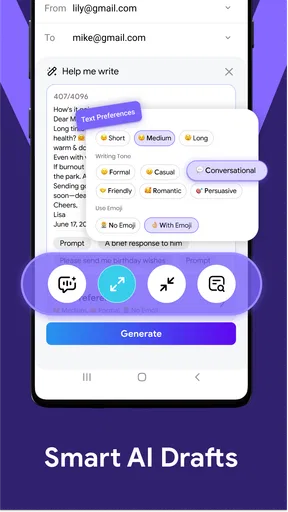
The AI-assisted writing feature is the part I would use selectively rather than handing over every reply. It can be helpful when I know what I want to say but cannot find a clean opening, especially for routine acknowledgements, scheduling notes, or a polite request for clarification. In those moments, reducing the blank-page problem is genuinely valuable.
I would still read every generated draft closely. A fast draft is not automatically an accurate draft, and email often depends on details that a general writing assistant cannot safely infer. Names, deadlines, attachments, tone, and commitments all need a human check. My preferred workflow would be to write the key facts first, use assistance to improve structure, and then remove anything that sounds too confident or vague.
A useful, less obvious benefit is that AI drafting can help me separate content from tone. I can decide the actual request before worrying about whether the message sounds abrupt. That makes the feature more than a shortcut for typing; it can act as a second pass for clarity. The trade-off is that the final message may feel less personal if I accept the first suggestion without editing it.
For sensitive conversations, I would be especially cautious. A message involving private information, legal matters, health details, or a difficult workplace situation deserves deliberate writing. In those cases, I would rather compose slowly in my own words than optimize for speed. The app is better suited to reducing friction around ordinary communication than replacing judgment.
What changes when I use it away from a desk
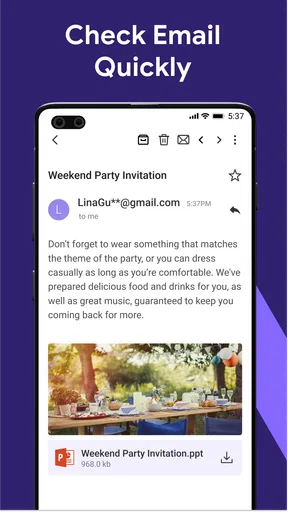
On a phone, the value of an all-mail workspace is closely tied to context. At a bus stop, between meetings, or while waiting for an appointment, I may only have a minute to scan what needs attention. A single place for multiple accounts can make that quick check more practical than opening separate apps one by one.
However, mobile convenience does not remove the risks of mobile composition. Small screens make it easier to miss a sentence, overlook the recipient, or send a reply before checking the entire thread. My own rule would be to use quick moments for triage and short responses, then reserve longer or sensitive messages for a calmer setting. That is not a criticism of this particular app; it is an important limitation of email on a phone, and a unified inbox can make the pace feel even faster.
The app should appeal to people who regularly juggle accounts but do not want to maintain several separate inbox routines. Students handling school and personal correspondence, freelancers separating clients from private mail, and families managing more than one address are obvious examples. The experience is less compelling for someone who uses a single account and already feels comfortable with its official app.
I would also consider how I behave when travelling. A reliable connection makes checking and composing straightforward, while roaming limits, crowded public networks, or inconsistent reception can interrupt the flow. I would avoid making a critical decision based only on what appears in a partially refreshed inbox. If a conversation matters, I would verify that the latest message is visible and that the reply has actually completed its send process.
Recovering from interrupted email sessions
The most revealing test for an email app is not the perfect session; it is what happens when the network changes halfway through a task. I might open a thread on Wi-Fi, move outside, and try to answer using mobile data. Or I might begin a draft in a place where reception is strong and return to it after the connection has weakened. In those situations, I would slow down rather than repeatedly tapping buttons.
My recovery routine would be simple. First, I would check whether the conversation has refreshed. Next, I would confirm whether the draft still contains the full text. Finally, I would verify the message status before assuming it was sent. This three-step pause prevents a common mistake: creating duplicate replies because the first attempt may have gone through even though the screen did not update immediately.
That workflow also highlights a trade-off of centralization. One app can reduce switching, but if its session is disrupted, several accounts may feel unavailable at the same time. With separate provider apps, one service might remain usable while another is having trouble. The unified approach is therefore most comfortable for people who value simplicity more than having independent backup paths.
I would not use the app as the only place to handle a time-critical exchange until I had tested my own accounts and network conditions. A short trial with ordinary messages can reveal whether the refresh behavior fits my habits. Testing with a low-stakes conversation is smarter than discovering a workflow problem while responding to an important client or family matter.
The current version is 1.5.2, and it runs on Android starting with version 6.0. That makes it accessible to people using older Android phones, although compatibility alone does not guarantee that every device will feel equally quick. On an older handset, I would pay attention to how comfortably the app handles account switching, long threads, and AI-assisted composition rather than judging it only from a brief launch.
Using less data without making email harder
Because the experience revolves around connected inboxes, data-conscious habits matter. I would avoid opening every conversation simply because it appears in the combined view. Scanning subjects and senders first is a small change, but it reduces unnecessary loading and helps me focus on messages that actually need action.
Attachments deserve the same discipline. If I am on mobile data, I would open large files only when they are relevant and postpone nonessential browsing until I have a more dependable connection. This is particularly useful in a busy inbox, where promotional messages and long threads can distract from a short request that needs a quick answer.
AI writing also benefits from a deliberate approach. I would use it for messages that genuinely need help, not automatically for every two-line reply. Besides saving time, that keeps my communication more natural. A short personal response can be faster to write directly than to generate, inspect, and edit.
Another practical tip is to keep the number of active decisions small. After checking the combined inbox, I would sort messages mentally into three groups: answer now, revisit later, and ignore or archive according to my normal email habits. The app can bring accounts together, but it cannot decide my priorities safely in every situation. A clear routine prevents the single inbox from becoming an endless scrolling session.
Privacy and trust are also part of the data conversation, especially when AI is involved. I would read the app’s current privacy and account-handling information before connecting important addresses, and I would begin with an account whose messages are not highly sensitive. That is sensible for any service that combines email access with assisted writing. Convenience is worthwhile only when I am comfortable with the way the app handles my communication.
Who should choose it, and who should stay with an official mail app
I see the strongest fit for people who want a straightforward hub for multiple inboxes and appreciate help getting a draft started. It is also a good candidate for someone who often replies from a phone and wants to reduce the time spent jumping between accounts. The fact that it is free lowers the barrier to trying it, and the everyone content rating makes it suitable for a broad household audience.
I would be more hesitant to recommend it to a person who depends on advanced provider-specific tools, highly specialized sorting, or a carefully established desktop workflow. An official Gmail, Outlook, or other provider app may be the better choice when its search, calendar connection, labels, security controls, or organizational system are central to daily work. A multi-account hub is not automatically a replacement for every feature in a dedicated ecosystem.
I would also suggest skipping it if the main goal is simply to read one inbox with as little change as possible. Adding a new central app can introduce another interface to learn, another place to review settings, and another point to consider when troubleshooting. The benefit needs to be larger than that adjustment cost.
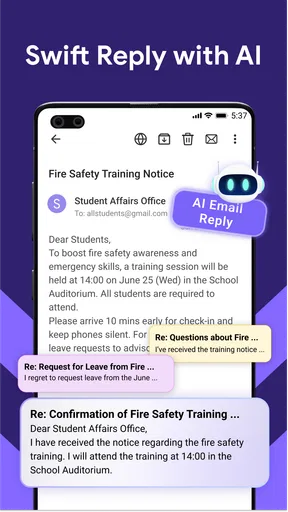
For a realistic example, imagine I am a freelancer who receives project requests at one address and invoices at another. During a short break, I can check both in one session, identify the client message that needs an answer, and use AI assistance to shape a concise reply. Before sending, I would verify the quoted deadline, remove any wording that promises more than I can deliver, and check that the connection is stable. That is where the app’s speed supports my judgment rather than replacing it.
For a family member who mainly receives personal messages and shopping receipts, the value may be smaller. The combined view could still be convenient, but the extra layer may not justify changing from a familiar official app. The right decision depends less on the headline feature and more on how often account switching actually interrupts the person’s day.
My final view on staying connected with Email: Fast, Manage All Mails
After considering how it fits into real mobile routines, I see Email: Fast, Manage All Mails as a practical productivity app with a clear target: make several email accounts feel like one manageable workspace and make writing less intimidating. Its strongest moments happen when I am online, moving quickly, and dealing with ordinary messages that benefit from a clean starting draft.
Its limitations are equally important. Connectivity affects the confidence of refresh and sending, mobile screens encourage rushed decisions, and AI-generated wording still needs careful review. The unified design may simplify daily checking, but it can also concentrate several accounts into one place, which is not ideal for everyone. People who need deep control inside one provider may be happier with that provider’s own application.
BizApp Innovators has positioned this app in a useful middle ground between separate inboxes and more demanding email systems. It is free, rated for everyone, and the release history shows a current version of 1.5.2, so trying it is relatively easy for compatible Android users. I would begin with a low-risk account, test the connection-dependent parts of my routine, and see whether the combined view genuinely saves time.
My recommendation is cautious but positive: choose it if switching between accounts is your daily nuisance and you want AI help for routine writing. Keep your own review habits for recipients, details, and send status, and do not confuse a fast draft with a finished message. If your email life is simple or highly specialized, the usual official app may remain the cleaner choice.
Verdict
Strengths of Email: Fast, Manage All Mails
- Supports multiple email accounts in one unified inbox.
- Quick search helps locate messages without browsing every folder.
- Push notifications can alert you to new mail promptly.
- Swipe actions make archiving or deleting messages convenient.
- Includes useful tools for organizing and managing incoming mail.
Limitations of Email: Fast, Manage All Mails
- The free version may include advertising or promotional content.
- Some advanced features may require a paid subscription.
- Notification reliability can vary by device and battery settings.
- Privacy details should be reviewed before connecting sensitive accounts.
- The interface may feel crowded when several accounts are added.
Similar Picks in This Category
View All
Google Calendar
Google LLC4.6

Google Drive
Google LLC4.3

Google Assistant
Google LLC3.9

Microsoft OneDrive
Microsoft Corporation4.6

Samsung Calendar
Samsung Electronics Co., Ltd.4.1

Microsoft OneNote: Save Notes
Microsoft Corporation4.6
Frequently Asked Questions
What is Email: Fast, Manage All Mails?
Email: Fast, Manage All Mails is a mobile email client designed to bring messages from multiple providers into one organized inbox. Instead of switching between separate applications, users can manage accounts, read and send messages, search conversations, and handle notifications from a single interface. Its usefulness depends on which email services and features are supported on your device.
Which email accounts can be added to the app?
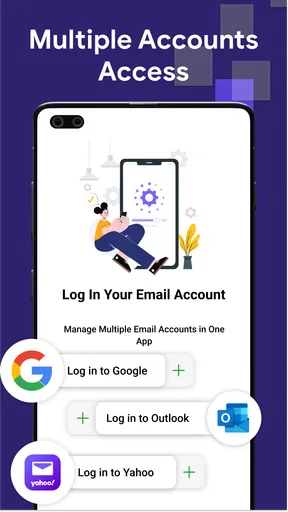
The application is intended for managing more than one email account, including common services such as Gmail, Outlook, Yahoo, and other accounts that support standard email protocols. However, compatibility can vary depending on provider security requirements, authentication methods, and app updates. Before downloading, check the current store description and confirm that your preferred provider is supported.
Is Email: Fast, Manage All Mails free to use?
The app may be available as a free download, but some functions can depend on advertisements, optional purchases, or a premium subscription. These conditions may include removing ads, unlocking advanced organization tools, or accessing additional customization options. Review the pricing details shown on Google Play or the App Store before creating an account or committing to any paid feature.
Is my email information secure in this application?
Email applications handle sensitive information, so users should review the permissions, privacy policy, and account sign-in process before adding their inboxes. Secure connections and provider authentication are important, but the exact protection offered depends on the app and the email service being used. Avoid entering credentials through unfamiliar prompts and enable two-factor authentication whenever your provider supports it.
What should I do if notifications or synchronization do not work?
If new messages are delayed or notifications fail, first check your internet connection, account credentials, device notification permissions, and battery-saving restrictions. Confirm that background activity is allowed for the application and that synchronization is enabled for the affected account. If the problem continues, update the app, remove and re-add the account, or contact the developer through the official support channel.
